Lab 3: Modeling and data quality
Outcomes: SLO 4. Estimated time: 60–90 minutes; allow additional time for installation and support. Environment: your dedicated local course database. Synthetic data only.
At a glance
| Before starting | Labs 1–2 |
|---|---|
| You will run | Build models, inspect sales and run guided and independent tests. |
| You will write | Three interpretations, one adapted data-quality test, and a short explanation of its rule, prediction, result and limitation. |
| Done when | Both named tests execute, their results are explained, unintended errors are resolved, and the Part C evidence is assembled. |
| Safe stopping point | After a completed section; save your draft before closing the editor. |
| Submission format | Use the shared submission template; label Part A and Part B and do not repeat the same explanation. |
Follow the steps below in order. Keep configuration, generated logs and submissions private. Return to the required course path when this lab is complete.
Progress checklist
- [ ] Part A: follow the example and record the requested interpretation.
- [ ] Part B: make your independent change and verify its result.
- [ ] Part C: assemble the listed evidence once.
You may complete one part per session. Read the current step, run its command, then check its expected result before moving on. Reference images and recovery notes are support, not extra submissions.
Required route: complete Part A (build, inspect and explain), then Part B (guided test, independent test and named-result verification), then Part C (submission). Optional tours, screenshots and reference material support that route; they are not additional requirements.
Why this lab matters
A report can run successfully and still give the wrong answer. Joining orders to their items can count the same order total repeatedly, while including cancelled orders can change reported revenue. Data administrators need to trace a reported number to its sources and test the assumptions behind it.
This lab builds the supplied retail models, checks their data and asks you to explain the completed-order revenue before designing a test of your own.
Learning objectives
These instructor-developed lab objectives support SLO 4. By the end of the lab, you should be able to:
- Follow a worked example from order items to daily sales totals.
- Identify what one daily sales row represents and explain how a join can repeat order-level values.
- Reconcile completed-order revenue with source records and explain the treatment of cancelled orders.
- Write and run a dbt SQL data test, explain which rows would violate its rule, and distinguish passing tests from proof that all data is correct.
Skills you will practice
Run a supplied dbt build through the course runner, read model SQL, inspect query results, reason about joins and aggregation, and add a focused data-quality test. You will also practice explaining the evidence behind a business metric.
No prior SQL or Python programming experience is assumed in this guide. The foundations bridge provides extra practice whenever you need it. The supplied models and worked examples are your starting point; you do not need to build a complete pipeline from scratch.
Terms you need for this lab
| Term | Meaning here |
|---|---|
| dbt model | A saved SQL transformation, not an AI prediction model. |
| Raw → staging → core → mart | Source records → cleaned fields → reusable business records → reporting results. Follow an order through raw.orders, stg_orders, fct_orders, then daily sales. |
| Fixture / baseline | Prepared example data / the initial result against which you compare changes. |
| Grain | What one row represents. State the grain before deciding whether a join, aggregation or test rule makes sense. |
Predicate / WHERE condition |
A logical condition that selects rows. In a dbt data test, it should select rows that violate the rule. |
ref() |
dbt syntax for referring to another model and recording that dependency. |
| View / table | A regular view stores a query; a table stores rows. This course uses staging views and core/mart tables. |
Use the glossary for more detail; this is reference support, not another assignment.
What you will produce
- Relevant baseline execution results and your interpretation.
- Three short A3 responses explaining repeated totals, the completed-order revenue of 139.95 and the cancellation rule for the supplied dataset.
- One original dbt SQL test, your prediction, its observed result after rerunning Lab 3, and an explanation of the rule it checks.
- One limitation of your test; the join-related explanation is already covered in A3.
The runner produces technical results. You write the reconciliation, test reasoning and limitations in your private submission; follow Part C below.
Concept
The pipeline separates raw source records, standardized staging views, core entities and purpose-specific marts. In this teaching database, raw records are synthetic; the core models are derived copies, not automatically an authoritative system of record.
State the grain before writing a join. An order has several items. Joining its total to each item repeats that total, which can distort sums and averages. The sales mart first aggregates items to one row per order, then aggregates completed orders by day. Its cancelled-order policy is a business assumption that must be documented.
A dbt data test returns rows violating an expectation. Uniqueness, missing values, relationships and amount reconciliation are different claims. A passing test does not prove the entire dataset is correct. Tests run when invoked; they are not database constraints that prevent every future invalid write. This fixture deliberately leaves some relationships to dbt tests so learners can observe the distinction.
The detailed and aggregate marts illustrate workload differences. They do not establish transaction throughput, dimensional completeness or production performance. A passing local build provides no measurements of those production properties.
Check your understanding: complete the three short responses in A3. They cover repeated order totals, daily sales and the completed-order rule; no separate response is required here.
Completion: Automation passing means the selected technical checks passed. Complete the independent investigation, interpretation and evidence below before submitting.
Before you begin
We strongly recommend completing these earlier labs before starting Lab 3:
- Lab 1: Environment readiness: understand configuration, database identities and the limits of a successful connection check. Setup runs its technical checks automatically; its investigation and written work are separate learning activities.
- Lab 2: Classification and stewardship: become familiar with the synthetic retail data, query helper and governance decisions used here.
Use the same working environment and repository checkout from those labs. Do not repeat setup or Lab 1's technical checks just to start Lab 3. A configured local environment is required; if you are joining here without one, follow Student start here first. The runner checks its required technical state, but it does not assess completion of earlier written work.
Lab route
| Part | Your task | Completion checkpoint |
|---|---|---|
| A: Guided baseline | Build the supplied models, inspect the sales output and trace its meaning | Ten models and 37 tests on an unchanged checkout; two daily sales rows totaling 139.95 |
| B: Test-writing practice and independent application | Run a complete example test, then write a different rule in your own file | Your named test appears in dbt results and you explain its rule, result and limits |
| C: Submission | Separate observed results from your own reasoning | A private, labeled evidence-and-reasoning submission |
Run commands one at a time from the repository root. Do not repeat setup. Additional tests from previous practice can increase the count; do not delete them just to match this guide. Stop on errors and use Recovery rather than treating a later PASS as a fix.
Part A: Guided baseline and annotated results
A1. Build the supplied project
Before running, record what you expect a successful build to establish and one thing it cannot establish. If you already ran it, say so rather than inventing a prediction.
.venv/bin/python scripts/course.py lab 3
Expected on the unchanged supplied project:
PASS: connection, dedicated database, schemas and non-superuser builder.
PASS: synthetic seed present (existing data preserved).
PASS: dbt build --selector course
PASS: 10 models and 37 data tests actually executed.
LAB 3 TECHNICAL CHECKS COMPLETE. Return to labs/core/lab03-modeling-quality/README.md for interpretation and deliverables.
The build creates the models and executes tests. The model/test count is verified from dbt artifacts, not merely a printed target. Passing proves only the selected checks for this execution. It does not complete the written task or prove production readiness. Retain the relevant PASS lines privately.
A2. Inspect daily sales
.venv/bin/python scripts/query.py labs/practice/inspect_sales.sql
After the environment PASS line, expect:
[
  ["2026-01-10", 2, "3", "129.97", "64.9850000000000000"],
  ["2026-01-11", 1, "2", "9.98", "9.9800000000000000"]
]
Whitespace may differ. The helper serializes some PostgreSQL numeric values as quoted text; this display does not mean the database columns store currency as text. Do not paste this JSON into SQL. Each inner list is one day, with these annotations:
| Position | Model column | Meaning | January 10 | January 11 |
|---|---|---|---|---|
| 1 | order_date |
Day of completed orders | 2026-01-10 | 2026-01-11 |
| 2 | orders_count |
Number of completed orders | 2 | 1 |
| 3 | items_sold |
Sum of quantities, not count of order-item rows | 3 | 2 |
| 4 | gross_sales |
Sum of completed orders' item amounts | 129.97 | 9.98 |
| 5 | avg_order_value |
Average completed-order total for that day | 64.985 | 9.98 |
What to notice: daily revenue sums to 139.95. January 10's average is 129.97 / 2 = 64.985; its long decimal display is normal. January 11 has one order containing two units, so units sold and order count differ. The date-level rows are already aggregated; they are not individual orders.
A3. Explain the results in three short responses
Your task: follow the worked example below, then answer the three numbered prompts. Write your answers under Part A: Interpretation in your private submission using a text editor or word processor. Two or three sentences per response, plus the requested calculation, are enough.
Everything needed is shown here. No SQL editing, new commands or screenshots are required. The source links are available for exploration; opening every file is not part of the task.
A3.1. Follow one order: why totals can be counted twice
Order 1 is a completed purchase on January 10. Its total is 79.98 and it contains these two items. Matching an order to its items is called a join:
| Order | Item | Quantity | Item amount | Order total repeated by the join |
|---|---|---|---|---|
| 1 | Wireless Mouse | 1 | 29.99 | 79.98 |
| 1 | Laptop Stand | 1 | 49.99 | 79.98 |
The item amounts add to 29.99 + 49.99 = 79.98. Adding the repeated order totals would give 159.96, even though the customer placed only one order worth 79.98.
That 159.96 is an intentionally incorrect result—it should not appear in your A2 output. The model avoids this double counting by first reducing the joined item rows to one row per order and then combining orders into one row per day. For January 10, the correct daily revenue is Order 1's 79.98 plus Order 2's 49.99 = 129.97, which matches A2. What one row represents is called its grain.
Response 1: In your own words, why would adding the repeated order totals give the wrong revenue? Finish with: “One row in the daily sales output represents …”
A3.2. Use the example to explain January 11
Here is the order-level information from the supplied synthetic dataset:
| Date | Order | Status | Units | Amount |
|---|---|---|---|---|
| January 10 | 1 | Completed | 2 | 79.98 |
| January 10 | 2 | Completed | 1 | 49.99 |
| January 11 | 3 | Cancelled | 1 | 19.95 |
| January 11 | 4 | Completed | 2 | 9.98 |
Worked example for January 10: both orders are completed. Together they give 2 orders, 3 units and revenue of 79.98 + 49.99 = 129.97, matching A2.
Response 2: Using the same approach, explain why your January 11 output shows 1 order, 2 units and revenue of 9.98. Say why order 3 is excluded, then show the addition of the two daily revenues to obtain the overall completed-order revenue. Use your A2 output; if it differs, record the difference and use Recovery.
A3.3. Connect the decision to one SQL line
The daily sales model contains this line. It is an excerpt to read, not a command to run:
where o.order_status='completed'
where keeps rows meeting a condition. Here, o is a short name for the order
source, and the condition keeps orders whose status is completed. An earlier
preparation step converts source text such as Completed to lowercase.
Response 3: What reporting rule does this line implement? If cancelled orders were included instead, would the reported revenue increase, decrease or stay the same for this dataset? Explain using order 3; no code change is needed.
A3 completion check: your submission contains just these three labeled answers:
1. Repeated totals and what one daily row represents:
2. January 11 explanation and total revenue calculation:
3. Completed-order rule and the effect of including order 3:
These responses are the required A3 interpretation. You do not need a separate file-by-file explanation, a daily-average comparison or an additional test. Test-writing starts in Part B.
Optional: explore how the supplied files connect
The [synthetic records](https://github.com/ntious/IT4065C-Labs/blob/main/labs/core/lab02-classification/lab2_seed.sql) provide the source data. [Order staging](https://github.com/ntious/IT4065C-Labs/blob/main/dbt/it4065c_platform/models/staging/lab3/stg_orders.sql) standardizes fields such as status. The [order model](https://github.com/ntious/IT4065C-Labs/blob/main/dbt/it4065c_platform/models/core/lab3/fct_orders.sql) and [item model](https://github.com/ntious/IT4065C-Labs/blob/main/dbt/it4065c_platform/models/core/lab3/fct_order_items.sql) feed the daily sales model. A model is a saved SQL query that produces a table or view; `ref` names another model to read. The [detailed order mart](https://github.com/ntious/IT4065C-Labs/blob/main/dbt/it4065c_platform/models/marts/lab3/order_detail_mart.sql) provides one row per order item, while the daily sales model provides one row per day. A mart is a model prepared for a particular reporting use. This reading is optional and requires no additional submission.Part A complete: retain the successful baseline output from A1, the daily rows from A2 and your three short responses from A3. For the unchanged fixture, daily revenue totals 139.95. Record and investigate differences before claiming that your baseline matches.
Safe stopping point: save your private notes and edited file. To return, open Ubuntu, enter your checkout folder and continue at the next part below. You do not need to repeat setup or completed steps; keep your database and draft files.
Part B: Learn the test pattern, then write your own
A dbt SQL data test is a SELECT that returns violations. Zero returned rows means pass; returned rows mean the rule failed. A syntax or connection error means the test could not run, which is different from finding bad data. A passing rule can still be incomplete or poorly designed, so your explanation matters.
B1. Run a complete teaching example
The guided test SQL asks whether a daily sales row has a missing or non-positive completed-order count. Its assumption is that each reported day contains at least one completed order.
select order_date, orders_count
from {{ ref('olap_sales_by_day') }}
where orders_count is null or orders_count <= 0
ref tells dbt which model to use and records the dependency. Unlike Lab 2's
{{schema}} SQL, this test must run through dbt via the course runner, not
through scripts/query.py. Do not replace ref with a password, schema or table path.
Copy the complete example into the dbt test directory:
mkdir -p dbt/it4065c_platform/student_tests
cp -i labs/core/lab03-modeling-quality/lab3_guided_test.sql dbt/it4065c_platform/student_tests/lab3_guided_daily_orders.sql
Expected after copying: on the first successful copy, the terminal returns to
its prompt without printing a message. This is normal; copying does not run the test.
If prompted to overwrite existing work, answer n and inspect that file first.
If you see cannot stat or No such file or directory, stop: the copy failed.
Check that you are at the repository root and that the source path matches the
command exactly. If the supplied file is missing, ask your instructor for help;
do not continue after a failed copy.
Predict the test's result on the two observed daily rows, then run:
.venv/bin/python scripts/course.py lab 3
Expected output with the original tests plus this one guided test:
PASS: connection, dedicated database, schemas and non-superuser builder.
PASS: synthetic seed present (existing data preserved).
PASS: dbt build --selector course
PASS: 10 models and 38 data tests actually executed.
LAB 3 TECHNICAL CHECKS COMPLETE. Return to labs/core/lab03-modeling-quality/README.md for interpretation and deliverables.
How to read this result:
- The connection check passed and the existing synthetic data was preserved.
- dbt built the selected project and its checks passed. The model count remains 10; the test count increases from 37 to 38 because you added one SQL test.
- The guided rule passes because the observed daily order counts, 2 and 1, are both present and greater than zero. The runner prints a summary, not the test's individual SQL results.
The project selector includes tests in this package, so no YAML edits are needed. If you already added other tests, the total may exceed 38. Rerunning the same test file does not add another test. B3 will show how to confirm the guided test by name; a count alone does not identify which tests ran.
B1 checkpoint: keep your prediction and this build output in your private notes. A successful run completes the guided execution, not the whole lab. Continue to B2 to create your own rule, then use B3 to collect the named results required for submission.
B2. Create your test using a starter
B2.1. Open the file and paste the starter
Run this command from the repository root:
nano dbt/it4065c_platform/student_tests/lab3_my_sales_rule.sql
A blank editor is expected the first time. This command opens a new file for
you to write; nothing is missing. The file is created when you save it. If you
have saved it before, Nano shows your existing contents. nano is the editor
command, not part of the filename.
Paste these three lines into the editor. If the same starter is already there, do not paste a second copy. Keep any existing work you want to retain.
select order_date, gross_sales
from {{ ref('olap_sales_by_day') }}
where gross_sales is null or gross_sales < 0
| Line | Meaning |
|---|---|
select order_date, gross_sales |
Show the date and sales amount of a problem row |
from {{ ref('olap_sales_by_day') }} |
Read the daily sales model; keep this line unchanged |
where gross_sales is null or gross_sales < 0 |
Return rows with a missing amount or a negative amount |
is null means missing, < 0 means negative, and or means either condition
is enough. This rule assumes reported sales should be present and non-negative.
With the supplied daily amounts, 129.97 and 9.98, it should find no violations.
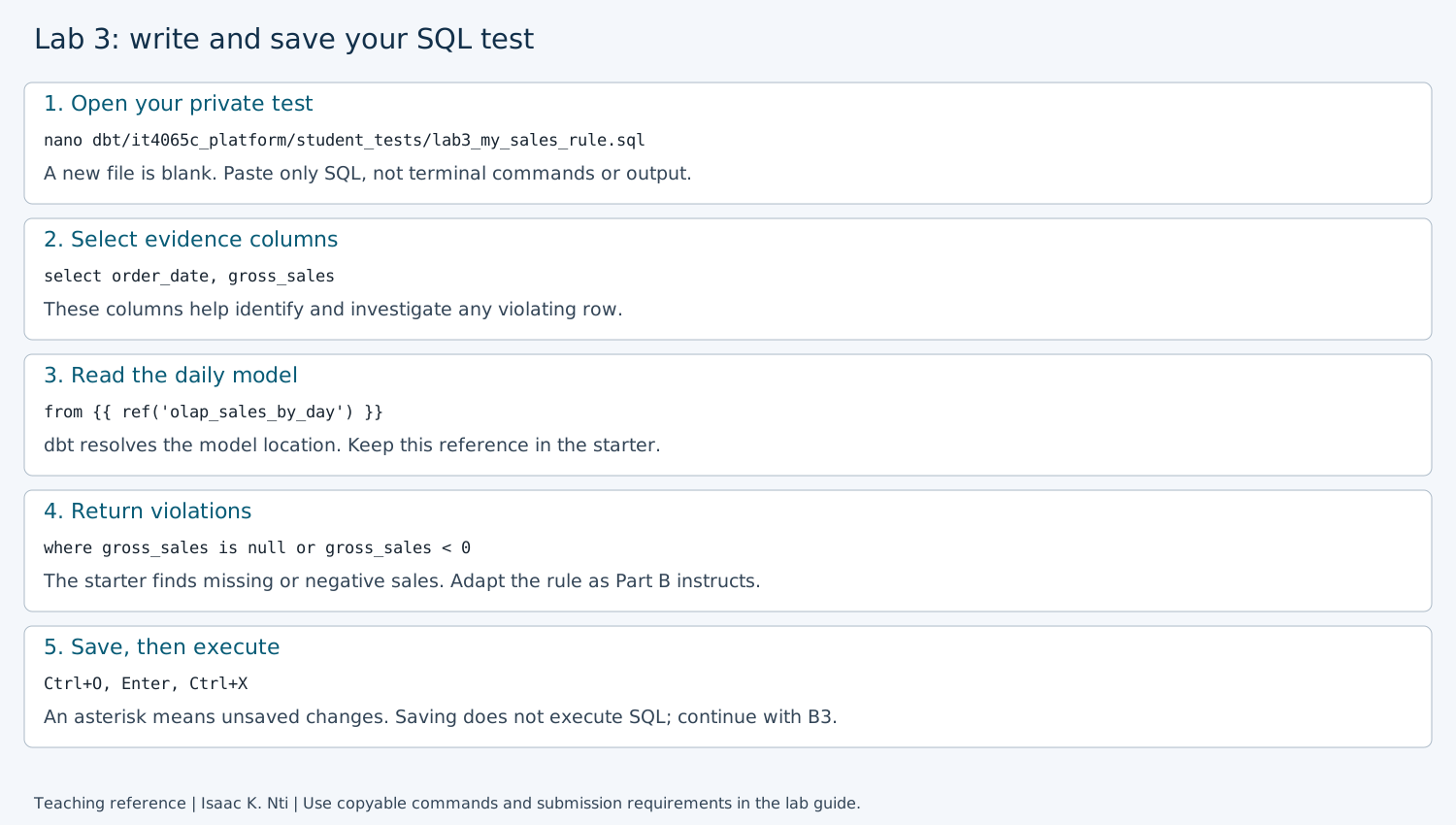
This annotated reference shows the SQL starter and editor controls. Copy SQL from the text block, then adapt it as directed below. The illustration is not execution evidence and does not establish that a test passed.
Save by holding Ctrl and pressing O (the letter O), then press Enter
to confirm the filename. Press Ctrl+X to exit. The title's * indicates unsaved
changes. Saving does not run the test. If Nano reports a save error, resolve it
before proceeding.
Do not run this starter yet unless you want optional extra practice. B1 already provided the executed teaching example. In B2.2 you will adapt this same file into your required independent rule, then B3 will execute and verify the adapted test. This keeps the required route clear: guided test → learn the pattern → design your own rule → execute and verify it.
B2.2. Adapt the same file for your independent rule
The starter above is supported practice. For the independent submission, adapt it rather than submitting the unchanged example as your own design. Reopen the same file with the command in B2.1; you do not need a second file.
How to design your independent test
Do not begin with the SQL operator. Begin with what one model row represents and what should be true about the field you choose.
Work through these questions before editing the starter:
-
State the grain. One row in
olap_sales_by_dayrepresents one day of completed-order reporting. Your rule should make sense at that daily grain. -
Choose the field and state what it means. Select either
avg_order_valueoritems_soldand describe the value in plain language. -
State the expectation in plain language. Write what should be true about that value on a reported day before translating the idea into SQL.
-
Give one valid example. Choose a value that should not be returned by your test.
-
Give one violating example. Choose a value that should be returned by your test.
-
Translate the violation into the
WHEREcondition. The condition should select bad rows, not good rows. Choose the operator that matches your rule; for example,< 0and<= 0express different expectations. -
Predict the result on the current data. Use the values you observed in A2 to decide whether the supplied dataset should pass or fail your rule.
-
State why the rule matters and one limitation. Explain the problem the rule is intended to catch and name something important that it does not establish.
A strong test design forms this chain:
model grain → field meaning → business expectation → violating example → SQL predicate → predicted result → limitation
A passing test means that no row violated that specific rule during that execution. It does not prove that the field, model or dataset is completely correct.
Use this compact planning table in your private notes before writing the final SQL:
| Test-design decision | Your answer |
|---|---|
| Selected field | avg_order_value or items_sold |
| What one model row represents | One day of completed-order reporting |
| What the field means | |
| Rule in plain language | |
| One valid example | |
| One violating example | |
WHERE condition that selects the violation |
|
| Predicted result using A2 data | |
| Why the rule matters | |
| One limitation |
This table is a planning aid, not an additional submission artifact. Part C tells you which conclusions and evidence from these notes to include in your final submission.
Before editing, use this pattern from a different inventory scenario:
| Rule | Valid example | Violating example | SQL condition selecting violations |
|---|---|---|---|
| Stock count must not be negative | stock_count = 3 |
stock_count = -1 |
stock_count < 0 |
| Stock count must be present | stock_count = 0 |
stock_count = NULL |
stock_count is null |
A dbt test is a query that returns violations. For the first rule, the valid row should be absent from the result and the negative row should appear. Zero rows on current data means no violations were found; it does not prove that an incorrect predicate would catch future bad data.
Self-check before saving: compare your plain-language rule, valid example,
violating example and WHERE condition. Ask:
- Does the valid value stay out of the result?
- Does the violating value appear in the result?
- Does your operator match the rule you actually stated?
- Does the rule make sense at the daily grain of
olap_sales_by_day? - Can you explain why this rule matters without claiming it proves all data is correct?
Include the valid and violating examples in your existing rule notes, not a separate
report. This is reasoning, not an executed failure injection. Do not use
stock_count in the sales model; it is only the inventory teaching example.
Choose one direction:
- Check
avg_order_valueinstead ofgross_sales: change that column in both SELECT and WHERE. Decide whether missing values, negative values or both violate your rule, and explain your assumption. - Check
items_sold: change the selected column and the WHERE condition to identify a violation of a rule you can justify about units sold on a reported day.
Keep order_date and the from line. Keep one SELECT query in the file. A test's
WHERE condition must find bad rows, not valid rows. Use is null for missing
values, < for less than or <= for less than or equal to. Do not add INSERT,
UPDATE, DELETE, CREATE TABLE or terminal output. Save and exit as in B2.1.
In your private notes, write the rule and assumption, why it matters, your predicted result, one hypothetical row it should reject, and one limitation (something it does not check). For example, a negative sales amount illustrates the starter's rule; choose a value relevant to your adapted rule. Do not insert that hypothetical row. It is reasoning, not an executed failure.
For comparison, the existing line-value test checks item-level quantities, prices and calculations. State one overlap or difference between that check and your daily-level rule. You do not need to review every SQL test or YAML file to complete this step.
B2 checkpoint: your saved file contains one adapted query, and your notes explain it. Continue to B3 to execute it and verify the named result. If you run the unchanged starter for practice, label it as the supplied example; it does not complete the independent task.
These test files live in student_tests, which dbt searches alongside the
supplied tests directory. Git ignores student_tests to reduce accidental publication.
Ignoring files is not encryption or access control. Keep your work locally and submit through the LMS,
not a public repository push. Never put personal data or credentials in them.
B3. Execute and verify your named test
Before running, save the file and reread your test-design chain from B2.2. dbt can successfully execute a weak or poorly justified rule. Technical success shows that the test ran; your reasoning determines whether the rule is meaningful.
.venv/bin/python scripts/course.py lab 3
With one guided and one independent test added to the original project, expect:
PASS: connection, dedicated database, schemas and non-superuser builder.
PASS: synthetic seed present (existing data preserved).
PASS: dbt build --selector course
PASS: 10 models and 39 data tests actually executed.
LAB 3 TECHNICAL CHECKS COMPLETE. Return to labs/core/lab03-modeling-quality/README.md for interpretation and deliverables.
Counts may be higher after earlier practice. Next, run the supplied result-check script from the repository root:
.venv/bin/python labs/core/lab03-modeling-quality/check_test_results.py
You do not need to write or edit Python. This script reads the saved dbt results; it does not run tests, connect to the database or change files. Expected output:
lab3_guided_daily_orders status=pass failures=0
lab3_my_sales_rule status=pass failures=0
Each line identifies a test that executed. status=pass and failures=0 mean
that test found no violating rows in that execution. Keep these two lines with
your prediction and adapted SQL for Part C. They do not establish that your rule
is original, complete or appropriate; your explanation addresses those questions.
Run this check immediately after Lab 3 and after every change to your test SQL. Saved results describe the last dbt execution, not unsaved or subsequently edited SQL. Another dbt command can replace them. The helper cannot prove that saved results correspond to your current SQL: rerun Lab 3 first whenever unsure.
If results are missing, unreadable, or either named test is absent, the script prints recovery guidance. A failed or skipped test is not reported as success. If the independent test fails, investigate whether your predicate is wrong, the assumption is inappropriate or the data violates a justified rule. Record the result honestly. Never weaken an assertion or delete existing tests merely to obtain PASS.
Part B complete: the named independent test executed, you can explain its predicate and result, and you have documented its limitations. Resolve unintended errors before submission; if blocked, report the problem rather than claiming pass.
Safe stopping point: save your private notes and edited file. To return, open Ubuntu, enter your checkout folder and continue at the next part below. You do not need to repeat setup or completed steps; keep your database and draft files.
Part C: Submit evidence and reasoning
Optional: use the local report checker after writing your submission. Replace the path below with your actual private report filename. Warnings are suggestions, not grades or new submission requirements.
.venv/bin/python scripts/report_checks/lab03.py .local/lab3-report.md
Use a private copy of the shared template. Label Part A and Part B. Keep the submission concise: use the narrow command/result excerpts requested below and short explanations rather than a full terminal history or lab narrative. Readable text is sufficient; screenshots are optional.
For written reasoning, one to three sentences per item are normally enough unless a calculation or SQL block is requested. The B2 planning table is working support; you do not need to reproduce the entire table in the submission. Use the checklist below inside the template and do not write duplicate answers to the same question. If you already ran a test before recording a prediction, state that honestly rather than inventing a prior prediction.
| Item | Required evidence |
|---|---|
| Part A execution | Lab 3 command, relevant PASS lines, the two inspected daily rows, and your A1 prediction/limitation (or a note that you already ran it) |
| Part A interpretation | The three short responses from A3: repeated totals, January 11 and total revenue, and the completed-order rule |
| Part B guided practice | One short prediction and the named guided-test result from B3 |
| Part B independent work | File name and complete SQL; one short rule/assumption statement; one prediction; named actual result |
| Test reasoning | One hypothetical violating row and why the predicate catches it; one overlap or difference from the existing check; one limitation |
| Recovery and assistance | If an error occurred, briefly state what failed, what you changed and the successful rerun; disclose AI assistance and how you verified it, or None, following course rules |
Do not submit full dbt logs, personal shell prompts, .env, credentials or generated
artifact directories. Logs can contain local paths; use the narrow result excerpts
above. Keep written work private. Independent learners retain their evidence locally.
See the Lab 3 sample submission for an example of the expected structure, evidence and level of detail.
Rubric: evidence 25%; interpretation 35%; transfer/tradeoffs 30%; clarity/limits 10%. These are activity-level weights, not institutional course grade weights.
Instructor handoff: assess Part A using the three A3 responses; the optional
source-file tour adds no submission requirement. Part B uses one
guided test followed by one original rule. Assess the predicate, assumption and named
execution evidence, not just a larger test count or copied revenue explanation.
A hypothetical bad row is not an executed negative test. Controlled failure injection
in scripts/verify.py is an instructor rehearsal, not an extra student requirement.
Recovery
Open if a step fails or you need to retry
| Symptom | What to check | | --- | --- | | Build stops | Read the first relevant error in `.local/dbt-last.log` locally; do not publish the full log. | | New test missing | Confirm the exact `.sql` file is saved under `dbt/it4065c_platform/student_tests/`, uses a valid `ref()`, and rerun Lab 3. | | SQL syntax error | Check selected column names, WHERE syntax and the ref expression. Do not run this dbt test through query.py. | | Test returns failures | Inspect the rule and violating condition; distinguish data failure from an unjustified assumption. | | Revenue differs | Check source/model changes and cancellation policy; do not reset or delete data to match the fixture. | | Named result absent or old | Save both test files, rerun Lab 3, then run `check_test_results.py` immediately afterward. | | Result-check script missing | Confirm the repository root and command spelling. If the supplied script is missing, use the [help route](../../../docs/self_study.md#when-you-are-stuck). | Use [setup recovery](../../../docs/setup.md) for environment issues.Author: Isaac K. Nti. Citation and reuse terms.